

























How do you play Dragon Funtion?
- Tap and hold a dragon, then drag it onto a dragon of the same level to merge. (Recomendada)
- Hold and drag a dragon onto another dragon of the same level.
- Drag a dragon onto another of the same level to merge.
Game details
- Genre
- Arcade
- Themes
- Click, Level
- Works on
- Phone, tablet and computer (touch)
- Screen
- Plays best in landscape
- Added to Gamezylo
- Sep 27, 2026
- Published via
- GameMonetize (third-party developer)
From the developer
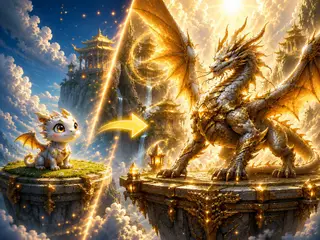
Merge Dragons and Build the Ultimate Dragon Collection! Discover a world full of amazing dragons! Merge identical dragons to evolve them into bigger, stronger, and more majestic creatures. Every evolution brings you one step closer to completing your collection. Unlock dozens of unique dragons, including rare and special dragons waiting to be discovered. Keep merging, collecting, and expanding your Dragon Collection as you uncover every evolution.
Find more like this
Something wrong?
Game not loading or instructions wrong? Use the report page. The report is saved on your device; this site has no submission server. Loading the game connects to its provider; see the privacy note.
More arcade games with a guide
Each one has a how-to-play guide like this page.



More Arcade games






GOOD TO KNOW
Questions about Dragon Funtion
Is Dragon Funtion free to play?
Yes. Dragon Funtion is free on Gamezylo with no download and no sign-up. The game comes from a third-party publisher and may show its own ads inside the game.
Can you play Dragon Funtion on a phone or tablet?
Yes. The game lists touch controls, so it works on phones and tablets; turn the screen sideways, it plays in landscape.
What games are like Dragon Funtion?
If you like Dragon Funtion, try Skybound Dash: Crown Rush, Mimi Fish Market and Car modding contest. They are also arcade games on Gamezylo.