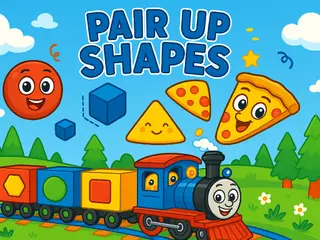













How do you play Pair Up Shapes?
- Controls: Tap on the matching shape using touch (Mobile) or left button of the mouse to drag element (PC).
Game details
- Genre
- Puzzle, Brain & Math
- Themes
- Baby Games, Educational, HTML, NapTech Games
- Works on
- Phone, tablet and computer (touch, keyboard or mouse)
- Screen
- Plays best in landscape
- Added to Gamezylo
- Sep 30, 2026
- Published via
- GameMonetize (third-party developer)
From the developer
ntroduce your kids to shapes in a playful way with Shapes! This educational game is perfect for young children to learn basic geometric shapes by matching and identifying them on screen. It’s designed with vibrant colors, friendly animations, and simple tap controls to keep kids engaged while learning. A great tool for early childhood development and pre-school fun!
Find more like this
Something wrong?
Game not loading or instructions wrong? Use the report page. The report is saved on your device; this site has no submission server. Loading the game connects to its provider; see the privacy note.
More puzzle games with a guide
Each one has a how-to-play guide like this page.

More Puzzle games

GOOD TO KNOW
Questions about Pair Up Shapes
Is Pair Up Shapes free to play?
Yes. Pair Up Shapes is free on Gamezylo with no download and no sign-up. The game comes from a third-party publisher and may show its own ads inside the game.
Can you play Pair Up Shapes on a phone or tablet?
Yes. The game lists touch controls, so it works on phones and tablets; turn the screen sideways, it plays in landscape.
What games are like Pair Up Shapes?
If you like Pair Up Shapes, try Wolfoos Kindergarten, Baby Taylor Memory Quest and Hazel Tic Tac Toe. They are also puzzle games on Gamezylo.