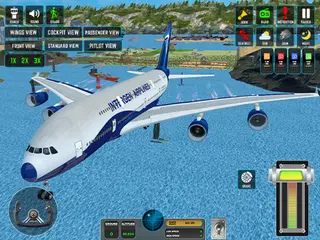











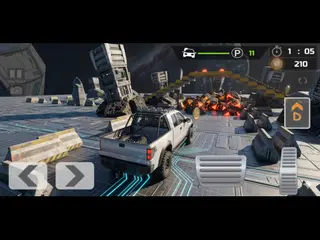









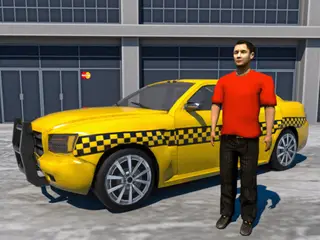


















How do you play Passenger Airplane: Flight 3D?
- Default: Joystick – Easy and smooth flying
- Arrow Keys – Selectable from Settings
- Slider Throttle – For race-style speed control
Game details
- Genre
- Adventure
- Themes
- Airplane
- Works on
- Computer with a keyboard
- Screen
- Plays best in landscape
- Added to Gamezylo
- Sep 30, 2026
- Published via
- GameMonetize (third-party developer)
From the developer
Passenger Airplane: Flight 3D Experience the most realistic passenger flight simulation! 2 Exciting Modes: World Map Mode – Fly real passenger routes across the globe Flight Training Mode – Learn essential pilot skills Key Features: Realistic joystick controls Speed control: 1x, 2x, 3x 6 Camera Modes – cockpit, external, wing, and more 3 Weather Conditions – sunny, rain, storm No Fuel System – unlimited flying fun Smooth 3D graphics Take off, switch cameras, change weather, and fly like a pro! Download now and rule the skies!
Find more like this
Something wrong?
Game not loading or instructions wrong? Use the report page. The report is saved on your device; this site has no submission server. Loading the game connects to its provider; see the privacy note.
More adventure games with a guide
Each one has a how-to-play guide like this page.





More Adventure games





GOOD TO KNOW
Questions about Passenger Airplane: Flight 3D
Is Passenger Airplane: Flight 3D free to play?
Yes. Passenger Airplane: Flight 3D is free on Gamezylo with no download and no sign-up. The game comes from a third-party publisher and may show its own ads inside the game.
Can you play Passenger Airplane: Flight 3D on a phone or tablet?
It is best on a computer: the game lists keyboard controls (Arrow Keys).
What games are like Passenger Airplane: Flight 3D?
If you like Passenger Airplane: Flight 3D, try Firefighter Plane Game, Gunship Strike Helicopter Game and Airplane Simulator Game. They are also adventure games on Gamezylo.