


































How do you play Pixel Draw?
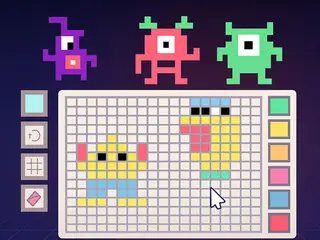
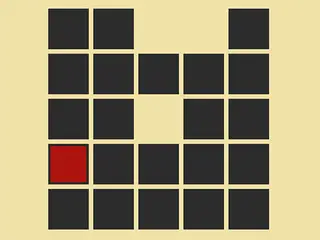
Goal: Make your own pixel art on an empty grid. There are no templates: pick colours and fill squares to draw anything you like.
- Press PLAY.
- Click or tap squares on the empty grid to colour them.
- Keep filling squares to make your picture.
- Save your picture when you are done.
What are the controls for Pixel Draw?
| Input | Action |
|---|---|
| Click or tap | colour a square |
Tips for Pixel Draw
- Start with the outline, then fill the inside.
- Simple shapes like a heart, a star or a smiley face look great in pixels.
- Use only a few colours for a classic retro look.
Guide written by Gamezylo from the developer’s description, instructions and screenshots of the game, Oct 8, 2026. If the game plays differently, follow what it shows on screen.
Game details
- Genre
- Pixel art drawing game, Coloring & Drawing
- Themes
- Block, Board, Color, Creation
- Works on
- Phone, tablet and computer (touch, keyboard or mouse)
- Players
- 1 player
- Screen
- Plays best in landscape
- Added to Gamezylo
- Sep 30, 2026
- Published via
- GameMonetize (third-party developer)
From the developer
Unleash your creativity by crafting unique pixel art from scratch. In Pixel Draw, there are no templates — only your imagination and a grid waiting to be filled. Whether youre sketching a hero, a symbol, or something abstract, this is your chance to become a true pixel artist. Save your masterpiece and share it with friends to showcase your talent.
Find more like this
Something wrong?
Game not loading or instructions wrong? Use the report page. The report is saved on your device; this site has no submission server. Loading the game connects to its provider; see the privacy note.
More coloring & drawing games with a guide
Each one has a how-to-play guide like this page.


More Coloring & Drawing games


GOOD TO KNOW
Questions about Pixel Draw
How do you play Pixel Draw?
Pick a colour and click or tap squares on the grid to make your own pixel art.
What is the goal of Pixel Draw?
Draw any picture you like and save it.
Is Pixel Draw free?
Yes, it is free to play in your browser on Gamezylo with no download; the game may show its own ads.
Is Pixel Draw free to play?
Yes. Pixel Draw is free on Gamezylo with no download and no sign-up. The game comes from a third-party publisher and may show its own ads inside the game.
Can you play Pixel Draw on a phone or tablet?
Yes. The game lists touch controls, so it works on phones and tablets; turn the screen sideways, it plays in landscape.
What games are like Pixel Draw?
If you like Pixel Draw, try Diamond Paint Art, LOL Presidential Face and Wolfoo Birthday Pixel Art. They are also coloring games on Gamezylo.