

































How do you play Sliding Puzzle?
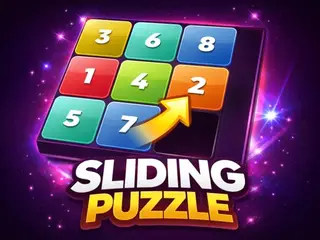
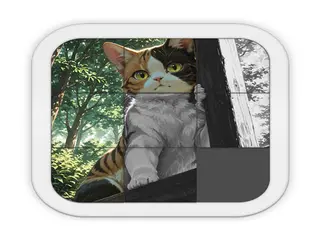
Goal: Slide the numbered tiles into the empty space, one at a time, until the whole grid is back in order. It is the classic 15-puzzle, with 3x3, 4x4 and 5x5 grids to choose from.
- Press Play Game on the start screen (How to Play explains the rules).
- Pick a grid size: 3x3 is the easiest, 5x5 the hardest.
- Click or tap a tile next to the empty space to slide it in.
- Keep sliding tiles around until they are all in the right order.
- Use the on-screen buttons to pause, turn the sound on or off, or open the settings.
What are the controls for Sliding Puzzle?
| Input | Action |
|---|---|
| Computer | |
| Mouse click | slide a tile next to the empty space |
| Phone or tablet | |
| Tap or swipe | slide a tile on a phone or tablet |
Tips for Sliding Puzzle
- Start on the 3x3 grid to learn how tiles move.
- Solve the top row first, then the next row, and leave the last two rows for the end.
- Stuck? The description says the Watch & Solve option shows the puzzle being solved for you.
Guide written by Gamezylo from the developer’s description, instructions and screenshots of the game, Oct 6, 2026. If the game plays differently, follow what it shows on screen.
Game details
- Genre
- Sliding tile puzzle, Puzzle, Brain & Math
- Themes
- Logic, Sliding, Strategy
- Works on
- Phone, tablet and computer (touch, keyboard or mouse)
- Screen
- Plays best in landscape
- Added to Gamezylo
- Sep 30, 2026
- Published via
- GameMonetize (third-party developer)
From the developer
Experience the classic 15-puzzle re-imagined in this premium Mastermind Edition. Sliding Puzzle features a sleek dark user interface, vibrant procedural Gemstone tile colors, and a dynamic audio engine that generates satisfying sound effects in real-time. Challenge yourself across three difficulty levels (3x3, 4x4, and 5x5 grids). Stuck on a hard level? Use the Watch & Solve feature to unlock a smart AI assistant that automatically solves the puzzle for you. Fully optimized for smooth gameplay on both mobile devices and desktops
Find more like this
Something wrong?
Game not loading or instructions wrong? Use the report page. The report is saved on your device; this site has no submission server. Loading the game connects to its provider; see the privacy note.
More puzzle games with a guide
Each one has a how-to-play guide like this page.





More Puzzle games



GOOD TO KNOW
Questions about Sliding Puzzle
How do you play Sliding Puzzle?
Click a tile next to the empty space to slide it in (tap or swipe on a phone). Move the tiles until the grid is in order.
What is the goal of Sliding Puzzle?
Put every tile back in its right place on the grid.
What grid sizes does Sliding Puzzle have?
Three: 3x3, 4x4 and 5x5, as the game's description says.
Can you play Sliding Puzzle on a phone?
Yes. The instructions say you can tap or swipe a tile to move it on a phone.
Is Sliding Puzzle free?
Yes, it is free to play in your browser on Gamezylo with no download; the game may show its own ads.
Is Sliding Puzzle free to play?
Yes. Sliding Puzzle is free on Gamezylo with no download and no sign-up. The game comes from a third-party publisher and may show its own ads inside the game.