
























How do you play Smoothie Sorting?
- Mobile: Tap on a fruit, drag it to the correct blender, and release to drop it.
- Pc: Use the left mouse button to click on a fruit, drag it to the matching blender, and release to drop.
Game details
- Genre
- Puzzle, Brain & Math
- Themes
- NapTech Games, Skill, Sort
- Works on
- Phone, tablet and computer (touch, keyboard or mouse)
- Screen
- Plays best in portrait
- Added to Gamezylo
- Sep 30, 2026
- Published via
- GameMonetize (third-party developer)
From the developer
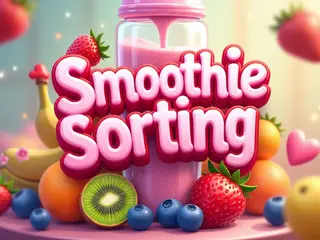
Get ready for a fruity blast in Smoothie Sorting, the ultimate casual sorting game that blends fun and focus! Sort different fruits into the correct blenders and create delicious smoothies in this addictive puzzle challenge. Each level gets trickier as more fruits and blenders appear — can you keep up with the chaos? Perfect for quick gameplay sessions, Smoothie Sorting is easy to learn but hard to master. Great for kids and adults alike! Drag, Drop & Blend Fun fruity animations Multiple smoothie flavors
Find more like this
Something wrong?
Game not loading or instructions wrong? Use the report page. The report is saved on your device; this site has no submission server. Loading the game connects to its provider; see the privacy note.
More puzzle games with a guide
Each one has a how-to-play guide like this page.


More Puzzle games



GOOD TO KNOW
Questions about Smoothie Sorting
Is Smoothie Sorting free to play?
Yes. Smoothie Sorting is free on Gamezylo with no download and no sign-up. The game comes from a third-party publisher and may show its own ads inside the game.
Can you play Smoothie Sorting on a phone or tablet?
Yes. The game lists touch controls, so it works on phones and tablets.
What games are like Smoothie Sorting?
If you like Smoothie Sorting, try Block Sort: Colormania, Wolfoo Supermarket Sort and Tidydeck: Sort Puzzle. They are also puzzle games on Gamezylo.