

























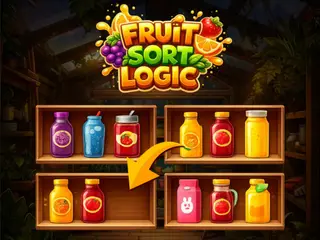



How do you play Sorting Fruits Game?
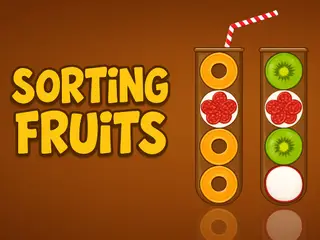
- Mobile: Tap on a tube to select it.
- Tap on another tube to pour the top fruit slices.
- Desktop: Left Click on a test tube to pick it up.
- Left Click again on another tube to transfer fruits.
Game details
- Genre
- Puzzle, Brain & Math, Quick games
- Themes
- NapTech Games, Skill
- Works on
- Phone, tablet and computer (touch, keyboard or mouse)
- Screen
- Plays best in portrait
- Added to Gamezylo
- Sep 30, 2026
- Published via
- GameMonetize (third-party developer)
From the developer
Sorting Fruits is a relaxing and educational game where players organize colorful fruits into their correct baskets. Theres no timer — just smooth, stress-free gameplay designed to boost focus and sorting skills. With beautiful visuals and easy drag-and-drop controls, it’s a perfect game for kids, families, and casual players. Add Sorting Fruits to your platform and offer your audience a calm, enjoyable gaming experience that improves observation and categorization abilities.
Find more like this
Something wrong?
Game not loading or instructions wrong? Use the report page. The report is saved on your device; this site has no submission server. Loading the game connects to its provider; see the privacy note.
More puzzle games with a guide
Each one has a how-to-play guide like this page.



More Puzzle games





GOOD TO KNOW
Questions about Sorting Fruits Game
Is Sorting Fruits Game free to play?
Yes. Sorting Fruits Game is free on Gamezylo with no download and no sign-up. The game comes from a third-party publisher and may show its own ads inside the game.
Can you play Sorting Fruits Game on a phone or tablet?
Yes. The game lists touch controls, so it works on phones and tablets.
What games are like Sorting Fruits Game?
If you like Sorting Fruits Game, try Sorting Ball Quiz, TastyFarm and Slime Buffet. They are also puzzle games on Gamezylo.