
















How do you play Truck Simulation?
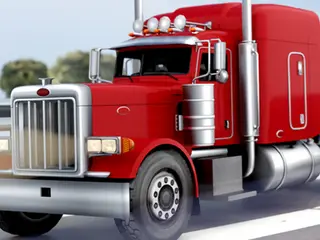
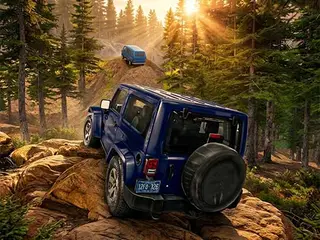
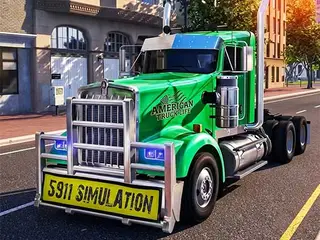
Goal: Start as the driver of an old truck and work your way up to owning a big trucking company, driving long routes in an open world.
- Pick Singleplayer on the menu (there is also a Multiplayer button).
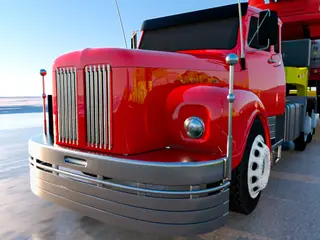
- Start your career with a modest old truck.
- Drive with W, A, S and D, and look around with the mouse.
- Shift gears up with T and down with G, and use Space for the handbrake.
- Complete your drives to grow from a single driver to a trucking company owner.
What are the controls for Truck Simulation?
| Input | Action |
|---|---|
| W A S D | drive and steer |
| Mouse | move the camera |
| Space | handbrake |
| T / G | gear up / gear down |
| C | change camera view |
| H | horn |
| Esc | pause |
| T | gear up |
Tips for Truck Simulation
- Shift up with T as you speed up and down with G before hills and turns.
- Press C to try the camera views and keep the one where you can see the road best.
- Use the handbrake (Space) only when you are nearly stopped; a big truck needs room to slow down.
- Check the Car, Enhancements and Driver tabs on the menu to improve your truck and driver.
- This is a keyboard game, so it is best on a computer.
Guide written by Gamezylo from the developer’s description, instructions and screenshots of the game, Oct 7, 2026. If the game plays differently, follow what it shows on screen.
Game details
- Genre
- Truck driving simulator, Racing & Cars
- Themes
- Car, Driving, Simulation, Truck
- Works on
- Computer with a keyboard
- Screen
- Plays best in landscape
- Added to Gamezylo
- Sep 30, 2026
- Published via
- GameMonetize (third-party developer)
From the developer
Truck Simulation gives you the chance to step into the life of a real trucker! Start your journey as the driver of a modest old truck and climb your way up to becoming the proud owner of a massive trucking company. Experience the thrill of long-haul driving, master realistic controls, and explore a huge open world full of challenges and opportunities.
Find more like this
Something wrong?
Game not loading or instructions wrong? Use the report page. The report is saved on your device; this site has no submission server. Loading the game connects to its provider; see the privacy note.
More racing & cars games with a guide
Each one has a how-to-play guide like this page.

More Racing & Cars games

GOOD TO KNOW
Questions about Truck Simulation
How do you play Truck Simulation?
Drive your truck with W A S D, look around with the mouse, shift gears with T and G and use Space as the handbrake.
What is the goal of Truck Simulation?
Grow from the driver of one old truck to the owner of a big trucking company.
Is Truck Simulation free?
Yes, it is free to play in your browser on Gamezylo with no download; the game may show its own ads.
Is Truck Simulation free to play?
Yes. Truck Simulation is free on Gamezylo with no download and no sign-up. The game comes from a third-party publisher and may show its own ads inside the game.
Can you play Truck Simulation on a phone or tablet?
It is best on a computer: the game lists keyboard controls (W A S D, Mouse and Space).
What are the controls for Truck Simulation?
W A S D: drive and steer. Mouse: move the camera. Space: handbrake. T / G: gear up / gear down.