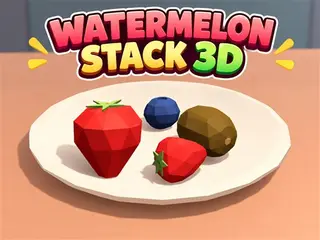



























How do you play Watermelon Stack 3D?
- Desktop: Click and drag left or right to rotate your aim around the bowl.
- Drag up or down to adjust the target height.
- Click the Throw button to launch the fruit.
- Mobile: Swipe left or right to rotate your aim.
Game details
- Genre
- Puzzle
- Themes
- Fruit, Matching, Physics, Watermelon
- Works on
- Phone, tablet and computer (touch, keyboard or mouse)
- Players
- 1 player
- Screen
- Plays best in portrait
- Added to Gamezylo
- Sep 27, 2026
- Published via
- GameMonetize (third-party developer)
From the developer
Aim, toss, and merge your way to a giant watermelon! Watermelon Stack 3D is a physics-based fruit merging game with colorful, squishy fruits. Rotate your view around the bowl, adjust your aim, and throw each fruit into the stack. Match two fruits of the same type to create a bigger one and increase your score. Discover 11 fruit types, from tiny blueberries to giant watermelons. Plan each throw carefully: if a fruit falls out of the bowl and touches the table, the game ends. How high can you score?
Find more like this
Something wrong?
Game not loading or instructions wrong? Use the report page. The report is saved on your device; this site has no submission server. Loading the game connects to its provider; see the privacy note.
More puzzle games with a guide
Each one has a how-to-play guide like this page.


More Puzzle games



GOOD TO KNOW
Questions about Watermelon Stack 3D
Is Watermelon Stack 3D free to play?
Yes. Watermelon Stack 3D is free on Gamezylo with no download and no sign-up. The game comes from a third-party publisher and may show its own ads inside the game.
Can you play Watermelon Stack 3D on a phone or tablet?
Yes. The game lists touch controls, so it works on phones and tablets.
What games are like Watermelon Stack 3D?
If you like Watermelon Stack 3D, try Tower Blocks Deluxe 3D, Cargo Captain and Draw the RailBall Physics. They are also puzzle games on Gamezylo.