























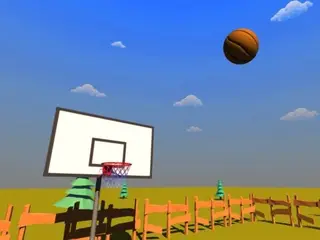


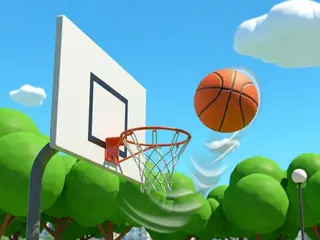
How do you play Basketball Arcade?
Goal: Score as many points as you can with 20 balls before the time runs out. Every throw is from a different angle and distance, so you have to judge the aim and power.
- Press Play and choose your team from the club badges.
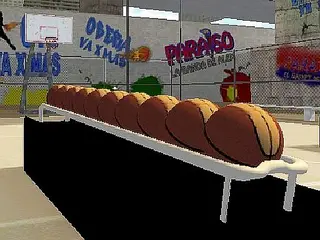
- On the court, pick up a ball from the rack (the screen says "Pick up a ball").
- Aim at the hoop with the mouse.
- Press and hold the left mouse button to build power; the bar on the right shows it.
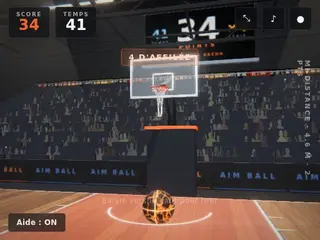
- Let go to shoot. The scoreboard shows your Score and the Time left.
What are the controls for Basketball Arcade?
| Input | Action |
|---|---|
| Mouse | aim |
| Hold the left mouse button | build power, then let go to shoot |
| WASD | move |
| Space | jump |
| LMB | shooting |
Tips for Basketball Arcade
- Watch the power bar on the right and let go at the same spot when a shot goes in.
- Far shots need more power than close ones.
- There is a time limit, so don't wait too long between shots.
- Press Esc to get your mouse cursor back, and O for the options, as the game shows on screen.
Guide written by Gamezylo from the developer’s description, instructions and screenshots of the game, Oct 6, 2026. If the game plays differently, follow what it shows on screen.
Game details
- Genre
- Basketball shooting, Sports & Soccer
- Themes
- Ball, Basketball, Sport
- Works on
- Computer with a keyboard
- Screen
- Plays best in landscape
- Added to Gamezylo
- Sep 30, 2026
- Published via
- GameMonetize (third-party developer)
From the developer
In this game, you will grab your favorite basketball and will try to score as many points as possible. All of the free throws will happen from different angles and distances. Pick your favorite team and try to be the best player around! There is a time limit, so you need to be quick. You have a total of 20 balls that you can use. It’s no easy task, since you need to guess the angle and strength that you need to hit. How to play: - Pick up the ball over the table. - Press and hold left mouse button, when shooting, to increase the shooting force. Force will show on the right indicator. - Shoot and try to…
Find more like this
Something wrong?
Game not loading or instructions wrong? Use the report page. The report is saved on your device; this site has no submission server. Loading the game connects to its provider; see the privacy note.
More sports & soccer games with a guide
Each one has a how-to-play guide like this page.



More Sports & Soccer games
GOOD TO KNOW
Questions about Basketball Arcade
How do you play Basketball Arcade?
Pick up a ball, aim with the mouse, hold the left button to build power and let go to shoot. Score as much as you can.
What is the goal of Basketball Arcade?
Get the highest score you can with 20 balls before the time runs out.
How many balls do you get in Basketball Arcade?
The description says you have 20 balls and a time limit.
Is Basketball Arcade free?
Yes, it is free to play in your browser on Gamezylo with no download; the game may show its own ads.
Is Basketball Arcade free to play?
Yes. Basketball Arcade is free on Gamezylo with no download and no sign-up. The game comes from a third-party publisher and may show its own ads inside the game.
Can you play Basketball Arcade on a phone or tablet?
It is best on a computer: the game lists keyboard controls (Mouse, Hold the left mouse button and WASD).