





















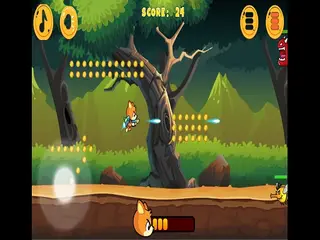






How do you play Retro Pong?
Goal: Bounce the ball past your opponent's paddle - the first player to score 5 points wins.
- Use the keyboard to move your paddle up and down.
- Hit the ball back toward your opponent.
- Try to make the ball get past their paddle to score.
- Keep playing until one player reaches 5 points.
- Play alone against the computer or with a friend as player two.
What are the controls for Retro Pong?
| Input | Action |
|---|---|
| Keyboard | move your paddle up and down (one or two players) |
Tips for Retro Pong
- Stay near the middle of your side so you can react either way.
- Try to angle your hits to make the ball harder to return.
- The first to 5 points wins, so every point matters.
Guide written by Gamezylo from the developer’s description and instructions, Oct 1, 2026. If the game plays differently, follow what it shows on screen.
Game details
- Genre
- Pong, Arcade, Sports & Soccer
- Themes
- Arkanoid, Ball, Bounce
- Works on
- Computer with a keyboard
- Players
- 1–2 players on one device
- Screen
- Plays best in landscape
- Added to Gamezylo
- Sep 30, 2026
- Published via
- GameMonetize (third-party developer)
From the developer
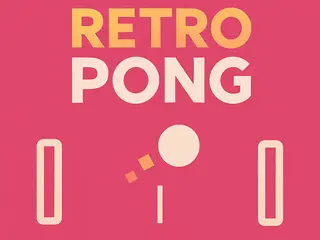
Step into gaming history with Retro Pong, a digital revival of the classic arcade experience! This simple yet legendary game pits two paddles against each other in a fast-paced volley of bouncing pixels. Score by sending the ball past your opponent—first to 5 wins! Perfect for quick breaks or friendly showdowns, this old-school gem proves that sometimes, the simplest games are the most addictive. Are you quick enough to claim victory?
Find more like this
Something wrong?
Game not loading or instructions wrong? Use the report page. The report is saved on your device; this site has no submission server. Loading the game connects to its provider; see the privacy note.
More arcade games with a guide
Each one has a how-to-play guide like this page.



More Quick games games


GOOD TO KNOW
Questions about Retro Pong
How do you play Retro Pong?
Use the keyboard to move your paddle and bounce the ball past your opponent to score points.
What is the goal of Retro Pong?
Be the first player to score 5 points by getting the ball past the other paddle.
Can two people play Retro Pong together?
Yes, the game's own instructions say control is available for one or two players using the keyboard.
Is Retro Pong free?
Yes, it is free to play in your browser on Gamezylo with no download; the game may show its own ads.
Is Retro Pong free to play?
Yes. Retro Pong is free on Gamezylo with no download and no sign-up. The game comes from a third-party publisher and may show its own ads inside the game.
Can you play Retro Pong on a phone or tablet?
It is best on a computer: the game lists keyboard controls (Keyboard).