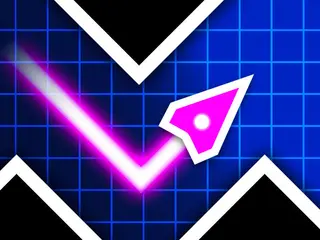
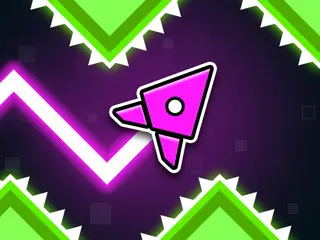
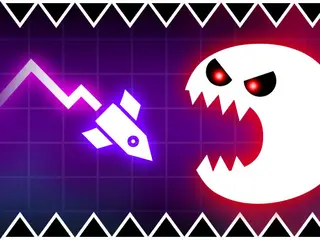
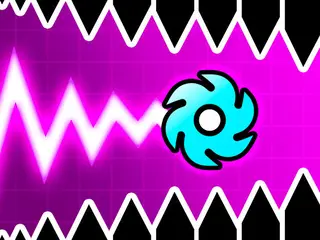









How do you play Geometry Vibes?
Goal: Keep your arrow on the route and take it as far as you can while obstacles, traps and spikes come at you in waves. There are Classic, Endless and Race modes, and Race lets 2, 3 or 4 players play on one keyboard.
- Pick a mode: Classic, Endless (it shows your best distance in metres) or Race for 2, 3 or 4 players.
- Press and hold to make your arrow go up; let go and it goes down.
- Steer it through the gaps between spikes and traps.
- One hit ends your run, so stay on the route as long as you can.
- In Race mode, each player has their own key: W, Up arrow, H and L.
What are the controls for Geometry Vibes?
| Input | Action |
|---|---|
| Computer | |
| Hold the mouse, Space or Up arrow | move your arrow (1 player) |
| W and Up arrow | control players 1 and 2 in 2-player mode |
| H and L | control players 3 and 4 |
| Mouse / Space / ↑ | 1P |
| W / ↑ | 2P |
| W / ↑ / H | 3P |
| W / ↑ / H / L | 4P |
| Phone or tablet | |
| Tap and hold | move the arrow on a phone or tablet |
Tips for Geometry Vibes
- Use short taps for small moves and long holds for big climbs.
- Look ahead to the next gap rather than at your arrow.
- Waves of obstacles come one after another, so stay calm after a hard part.
Guide written by Gamezylo from the developer’s description, instructions and screenshots of the game, Oct 6, 2026. If the game plays differently, follow what it shows on screen.
Game details
- Genre
- One-button arrow dodger, Arcade
- Themes
- Arrow, Dash, Geometry
- Works on
- Phone, tablet and computer (touch, keyboard or mouse)
- Players
- 1–2 players on one device
- Screen
- Plays best in landscape
- Added to Gamezylo
- Sep 27, 2026
- Published via
- GameMonetize (third-party developer)
From the developer
Geometry Vibes is a reaction-based arcade game where you avoid obstacles, traps and spikes that come at you in waves. Your goal in the game is to keep your arrow on the route and take it as far as possible. Geometry Vibes, where the excitement never ends, invites you to challenge.
Find more like this
Something wrong?
Game not loading or instructions wrong? Use the report page. The report is saved on your device; this site has no submission server. Loading the game connects to its provider; see the privacy note.
More arcade games with a guide
Each one has a how-to-play guide like this page.
More Arcade games

GOOD TO KNOW
Questions about Geometry Vibes
How do you play Geometry Vibes?
Hold the mouse button, Space, Up arrow or a tap to move your arrow and dodge the obstacles on the route.
What is the goal of Geometry Vibes?
Keep your arrow alive on the route and go as far as possible.
Can you play Geometry Vibes with friends?
Yes. The Race mode has 2P, 3P and 4P buttons. Players share one keyboard: W and Up arrow for 2 players, plus H and L for 3 and 4 players.
Is Geometry Vibes free?
Yes, it is free to play in your browser on Gamezylo with no download; the game may show its own ads.
Is Geometry Vibes free to play?
Yes. Geometry Vibes is free on Gamezylo with no download and no sign-up. The game comes from a third-party publisher and may show its own ads inside the game.
Can you play Geometry Vibes on a phone or tablet?
Yes. The game lists touch controls, so it works on phones and tablets; turn the screen sideways, it plays in landscape.